Calculation
You can calculate the values of entries with the Calculation tab.
This means that the the entries cannot be filled in manually, the Calculation tab does the job.
The feature only works when you enable the formula.
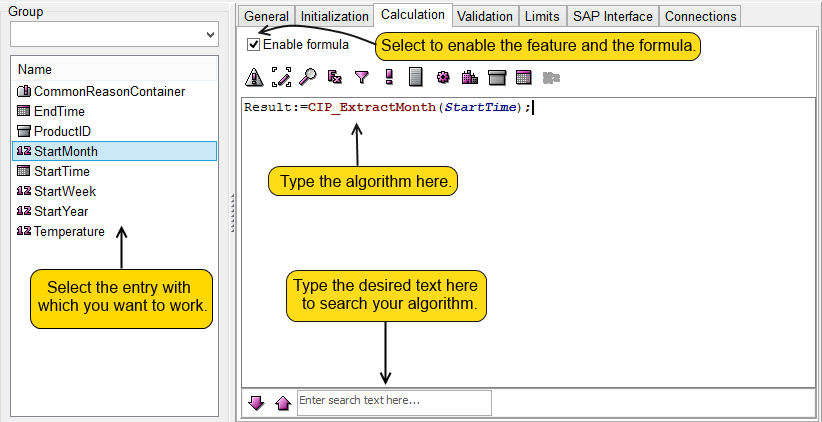
As you can see in the screenshot, the StartMonth entry will be filled with the field values from StartTime.
It is important to note that within a formula, the value of an entry of an actual record can be reached through the name of the entry.
Result:=Entryname+3;
If you want to set a constant value for the entry, then instead of
Entryname:=3;
you have to use the SetValue function from the list of functions in the formula editor:
SetValue(Entryname, 3);.