Add new reason
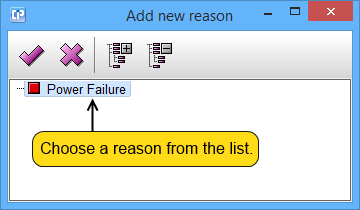
 - If you click on this button and previously selected a reason from the list as it is shown in the screenshot above, the dialog will close and the reason will appear in your code.
 - If you click on this button, the dialog will close without making any changes on your code.
 - If your reasons are part of a tree, you can expand the tree by clicking on this button.
 - If your reasons are part of a tree, you can collapse the tree by clicking on this button.