DB Connections
Select Connection
In the DBConnections dialogue, You can select which DataBase You would like to connect.
CIP can handle different databases (e.g MS SQL Server, Access, etc.) The main interface is
the Embarcadero FireDAC database interface. (native and ODBC connections)
Older versions of CIP use ADO (OleDB) drivers, this connections are automatically converted to
FireDAC in the background.
Filter is also availbe to speed the the selection process.
Add/Edit existing connections
If You would like to define a new DataBase connection we recommend to use the FireDAC connection Dialog which pops up
after hitting the Add button (ADO is obsolete):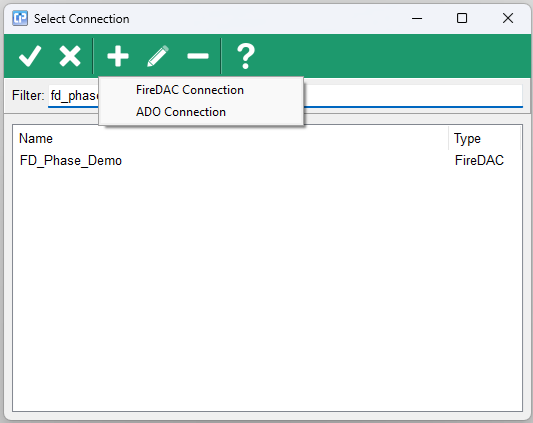
After specifying the connection name (it can be different than the connection .xml filename), You can bring up the
FireDAC connection wizard by hitting the BUILD button: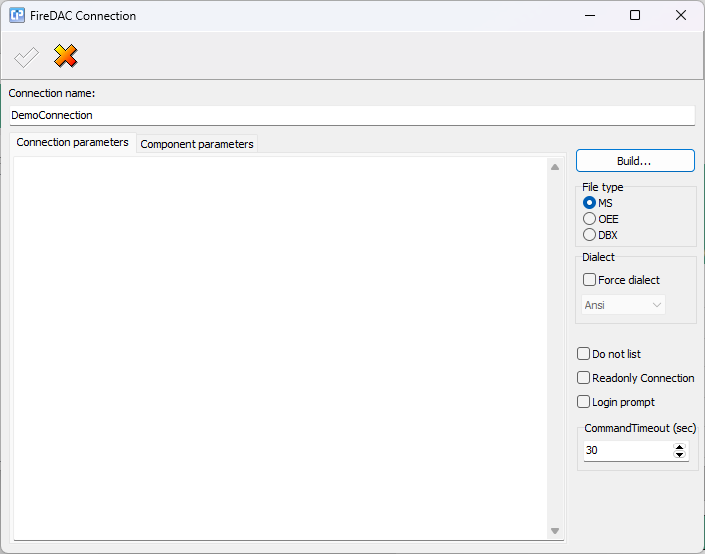
Connection flags:
Do not list: do not show this connection into the connection list. (e.g helper databases)
ReadOnly: connection: CIP sets a global ReadOnly flag for the connection, we recommend to set the DataBase as ReadOnly on the server side also.
LoginPromt: in this case DB Password dialog will pop up when connecting to the DB. Note: SSO login is also possible, than You do not need to specify DBPassword.
Specify MSSQL profile (Driver ID) when defining MS SQL connections: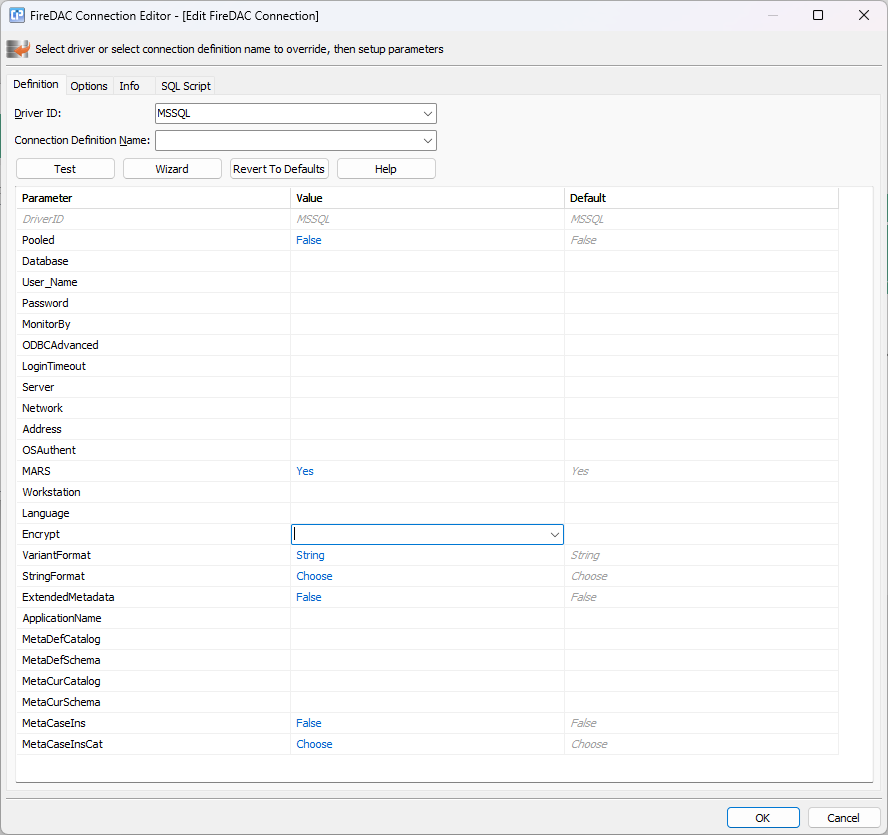
Fill up:
Database:
User_Name:
Password:
Address:
Keep MARS:Yes
since multiple active result set is necessary to operate CIP FrameWork.
Encrypt:
Specify if the connection has to be secure between the SQL server, and client application.
It depends on the current network setup. Contact Your DB Server administrator to find out if encryption is used.
If You plan to make a full SQL Log, You can switch on the
MonitorBY:FlatFile option. <-only for debugging purposes.
More details available at Embarcardero's documentations:
https://docwiki.embarcadero.com/RADStudio/Sydney/en/Setting_up_Connections_(FireDAC)
If You would like to edit one of the existing connection, the dialog asks for DB password.
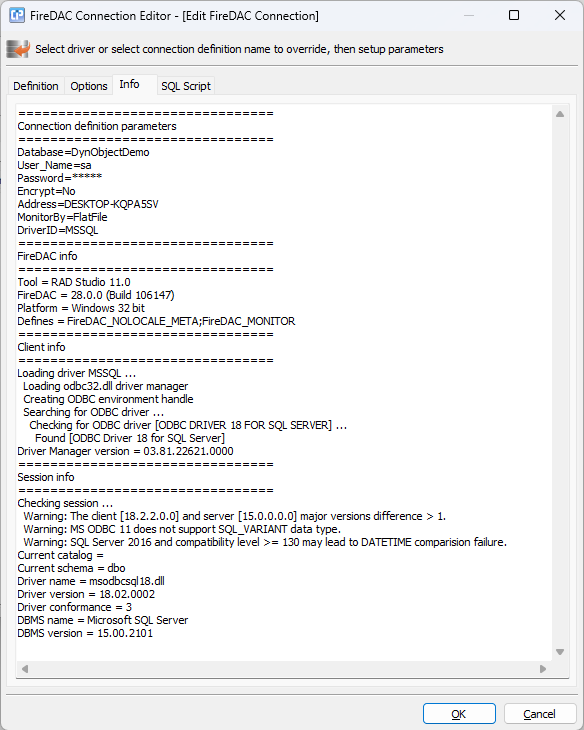
Test and info
In the "Info" tab You can check the connection, and get information about the used driver.
Right now Embarcadero recommends ODBC DRIVER 18 for best performance.
If it is not present on the Client PC, as the system administrator to install it.